> For the complete documentation index, see [llms.txt](https://dyns.ntd.asia/power-dynamics/llms.txt). Markdown versions of documentation pages are available by appending `.md` to page URLs; this page is available as [Markdown](https://dyns.ntd.asia/power-dynamics/power-platform/analytics.md).
# Analytics
\#tenant-analytics, #powerplatform, #admincenter
Ciaos friends,
Does anyone use the **Tenant-level analytics** in the Power Platform Admin center?
Try to enable and monitor your tenant...
## How to enable Tenant-level analytics?
Firstly, ensure you have a least admin role as below:
* Power Platform admin
* Microsoft 365 Global admin
* Delegated admin
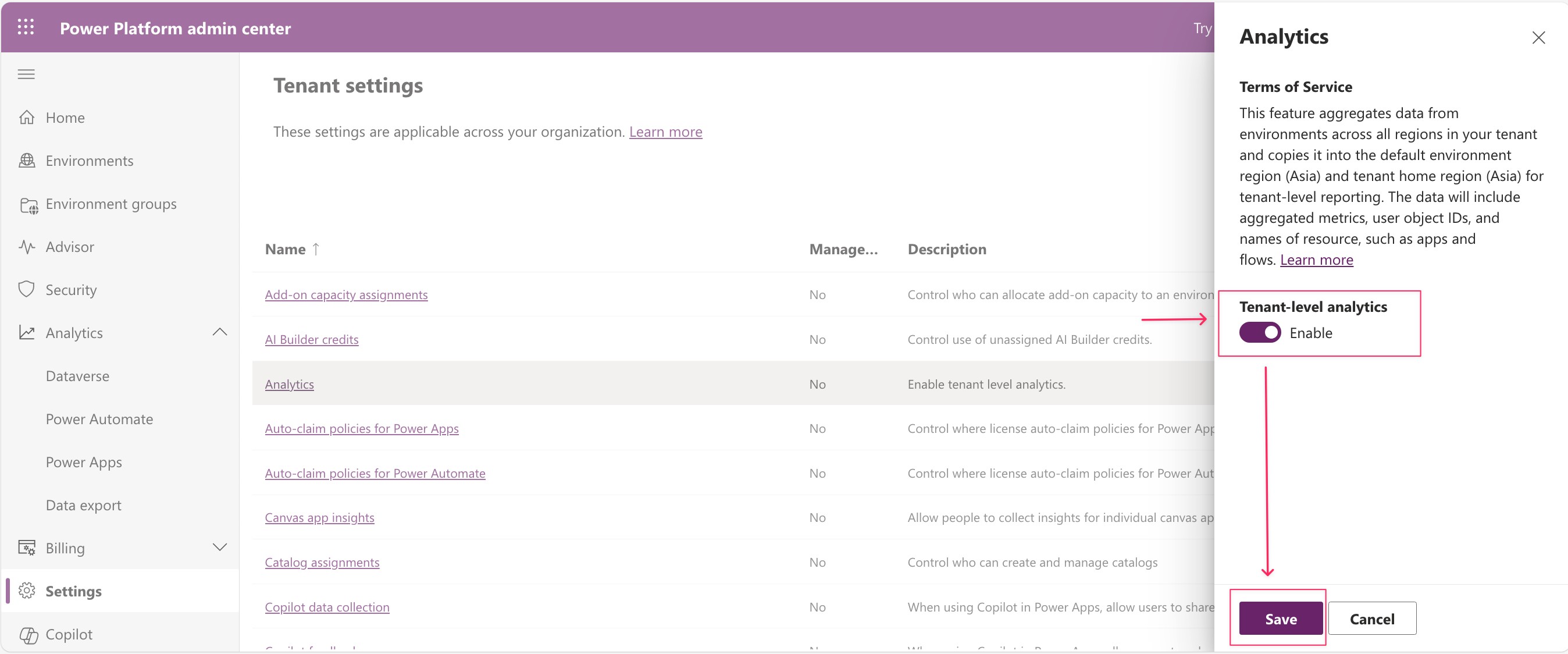
Then, sign in to the [**Power Platform admin center**](https://admin.powerplatform.microsoft.com/) select **Settings >** and select **Analytics** menu item
Analytics feature
Afterward, you **Enable** and click **Save** to turn on this monitoring feature.
Enables tenant-level analytics
## After enabling the Tenant-level analytics?
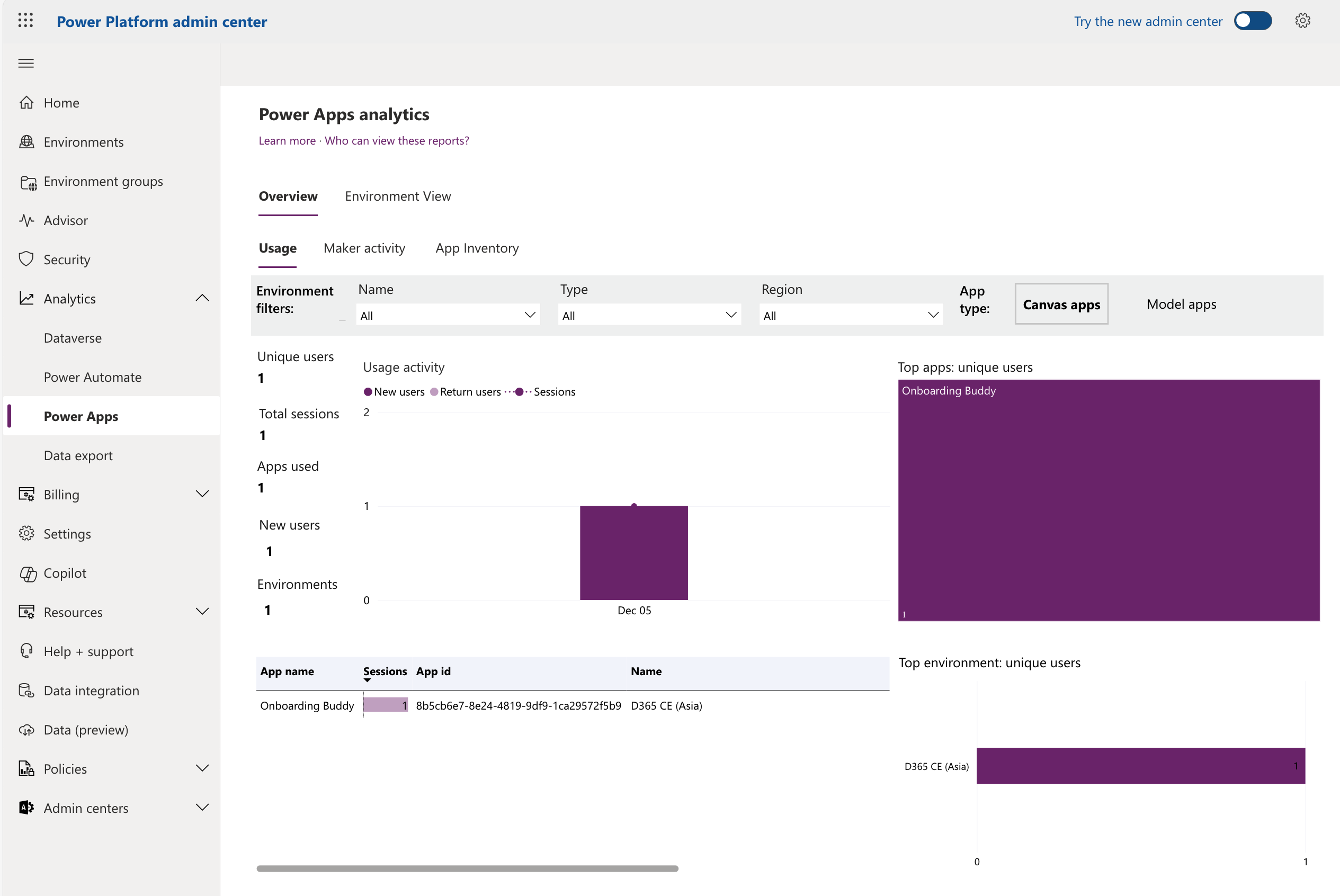
Go to **Analytics** and select **Power Automate / Power Apps.** The insight data will appear in the **Overview** tab**.**
{% hint style="success" %}
**The Power Platform** collects telemetry data about operations and user activities across environments and extensions. Through tenant-level analytics, admins can view and compare insights from this data across their managed environments. This gives tenant admins access to reports covering all environments within their tenant.
{% endhint %}
Power Automate analytics
Power App analytics
Could you turn it on and try it?
Hoping well ... :tada:\
**\[NTD]yns.Asia**