> For the complete documentation index, see [llms.txt](https://dyns.ntd.asia/power-dynamics/llms.txt). Markdown versions of documentation pages are available by appending `.md` to page URLs; this page is available as [Markdown](https://dyns.ntd.asia/power-dynamics/power-platform/fabric-and-power-bi/new-text-slicer.md).
# New Text slicer
\#Slicer, #PowerBI, #previewFeature
Ciao, friends!
I now have time to work on Power BI reporting and am excited about new features.
Today, I'm excited to introduce a new feature - the **Text Slicer**. It enhances data slicing by allowing visual filtering based on text input.
## Enabling
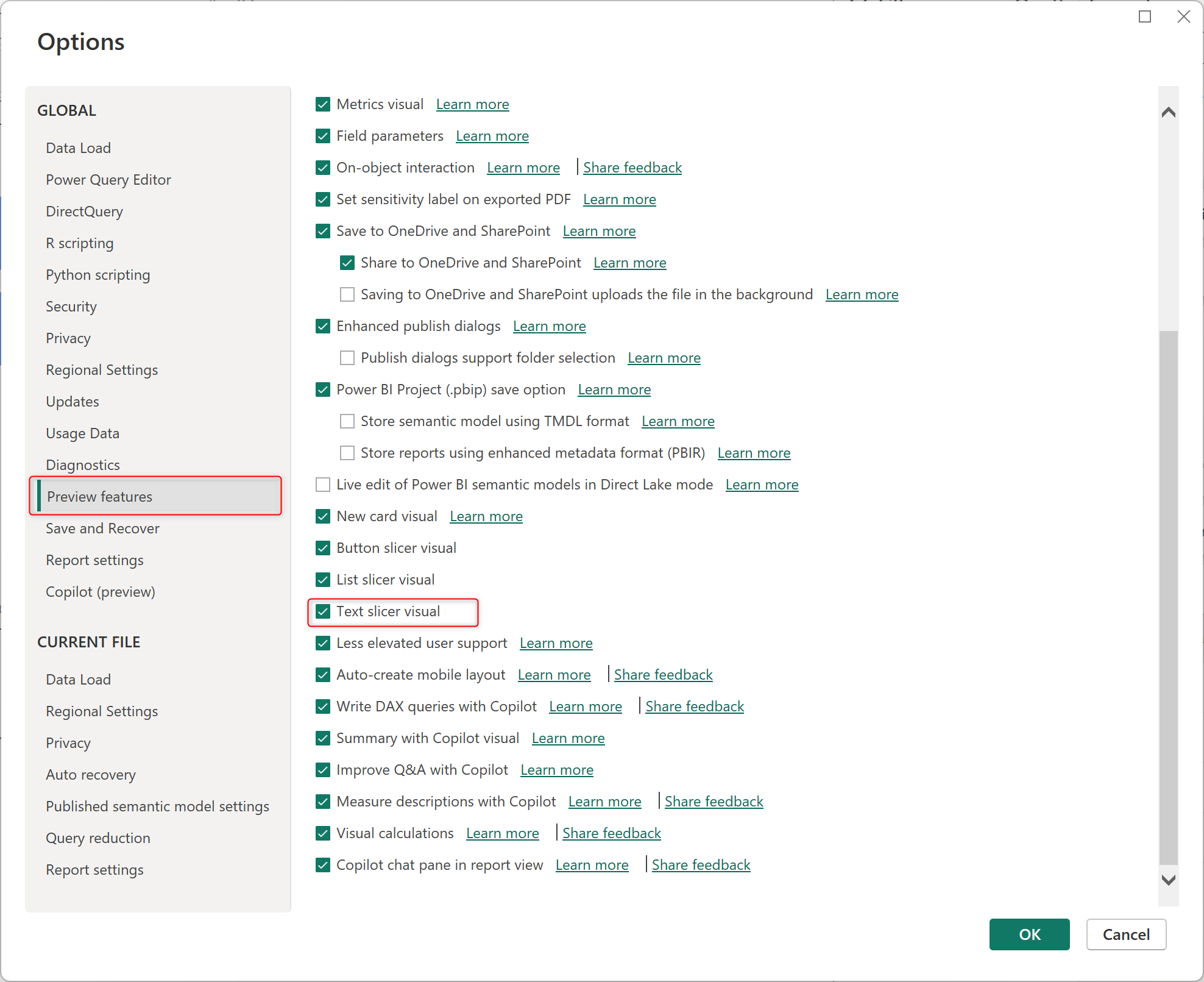
In the Power BI desktop, access the **Options** setting > then select **Preview features,** and enable the **Text slicer visual** by ticking the check box. OK and try.
Enable Text Slicer visual
## Checking
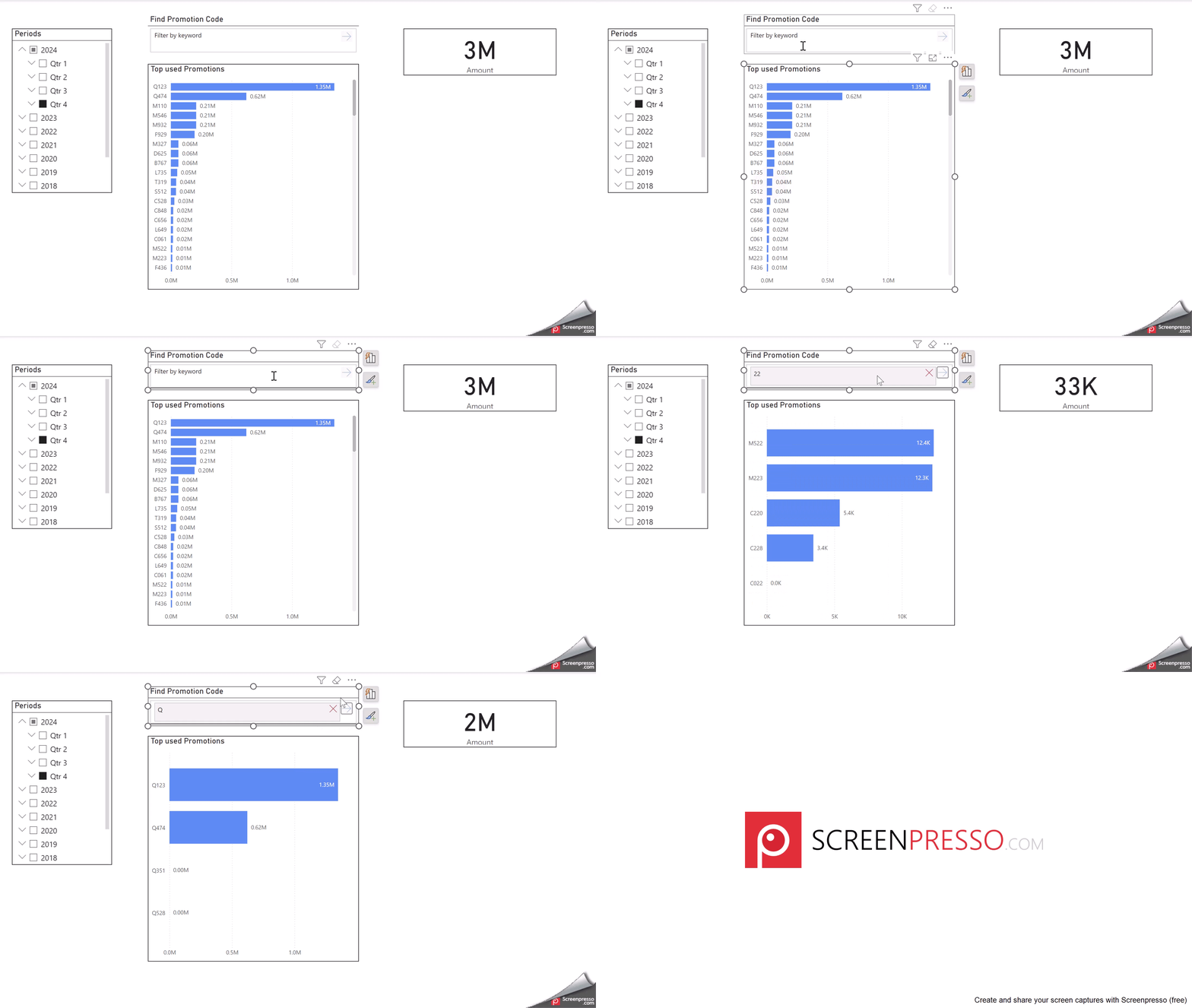
I am using my sample data to implement a **Text slicer** that will allow me to identify the promotion code and calculate the total amount.